The database
2,100 items, already loaded.
Lighting, power, grip and everything around them, in nine main categories.
- Rename and reorder subcategories
- Add your own kit
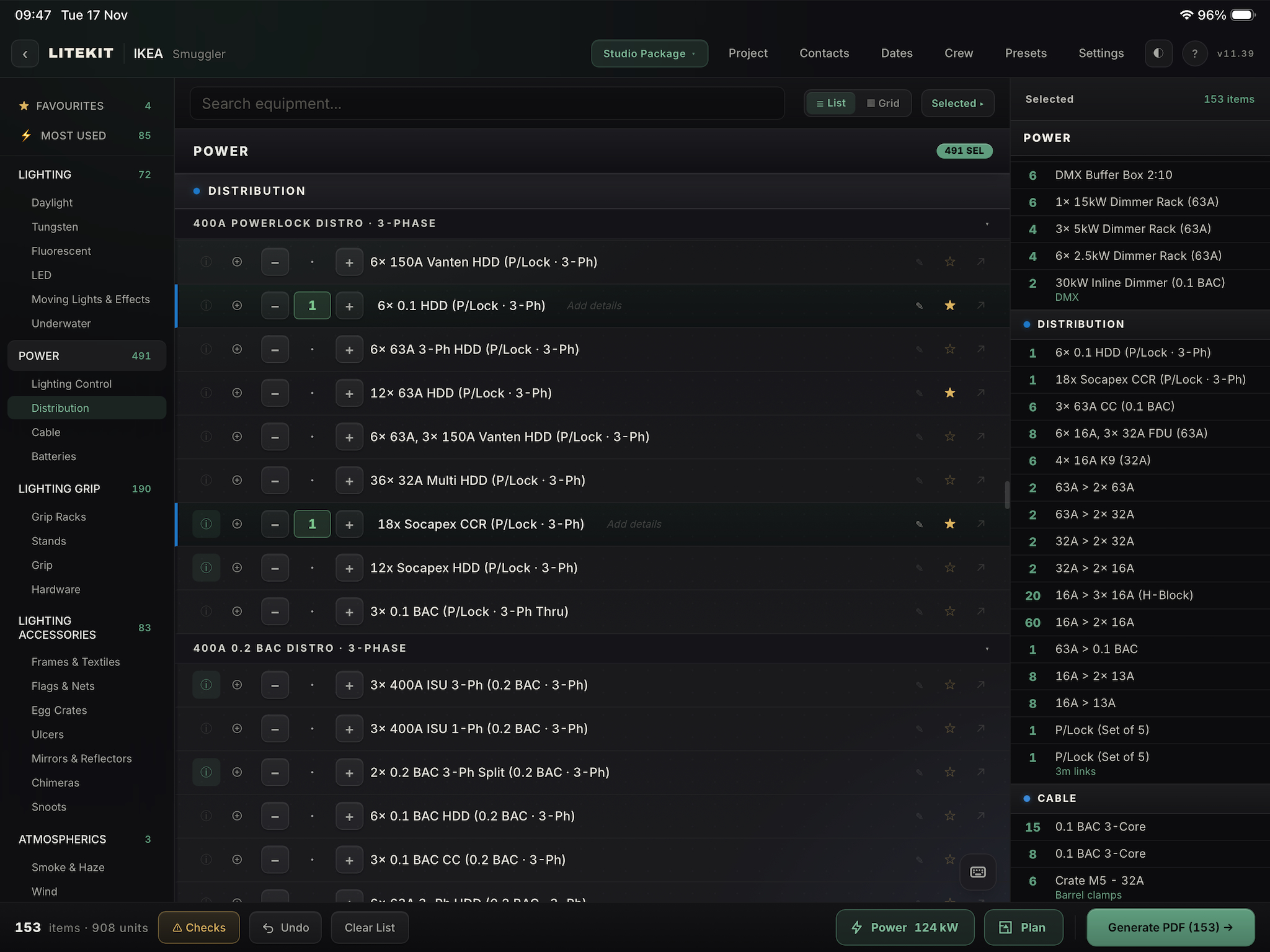
2732 × 2048
For lighting departments
Build the kit list, draw the plan, work out the power. One app on the iPad.
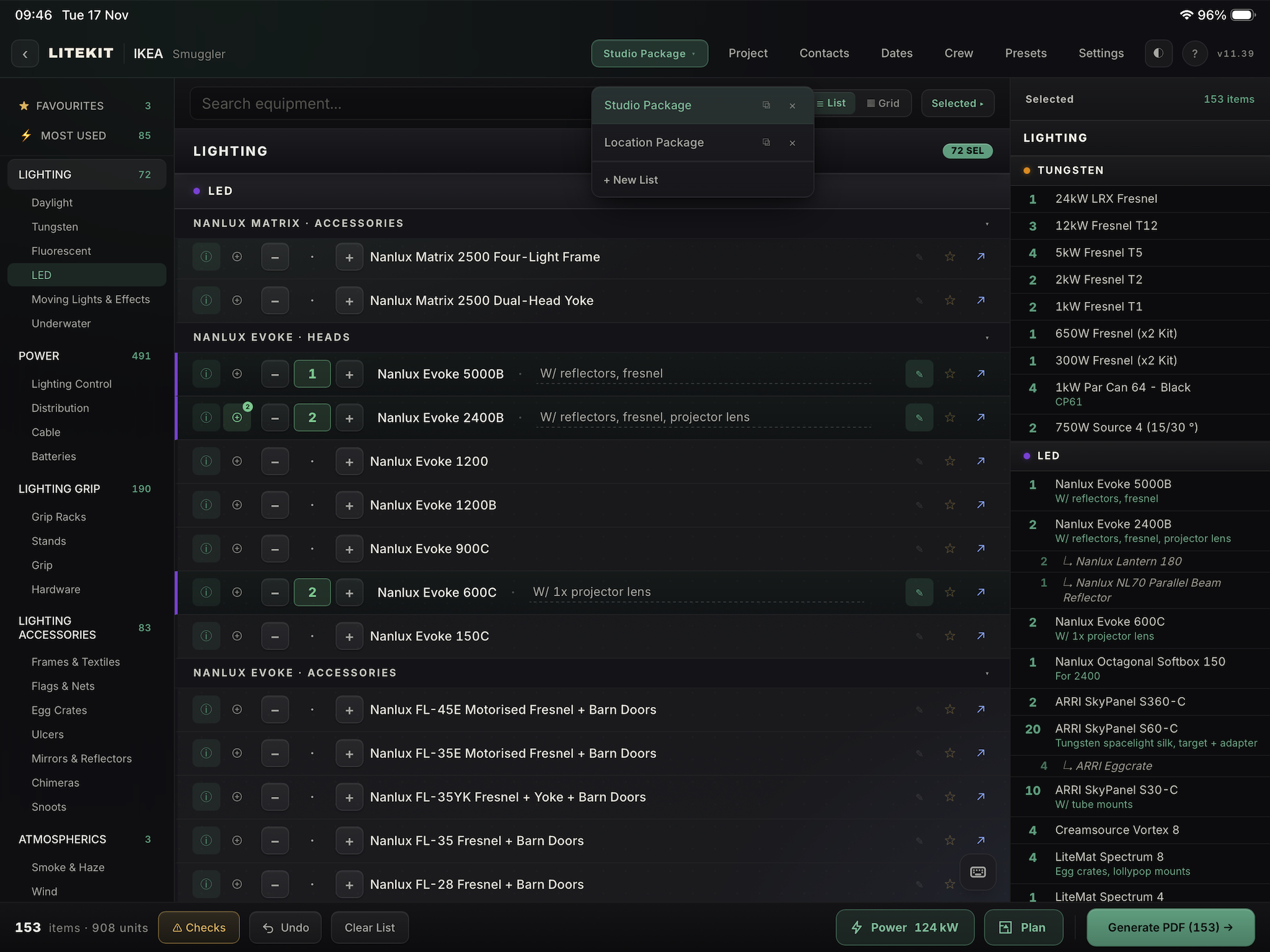
The list
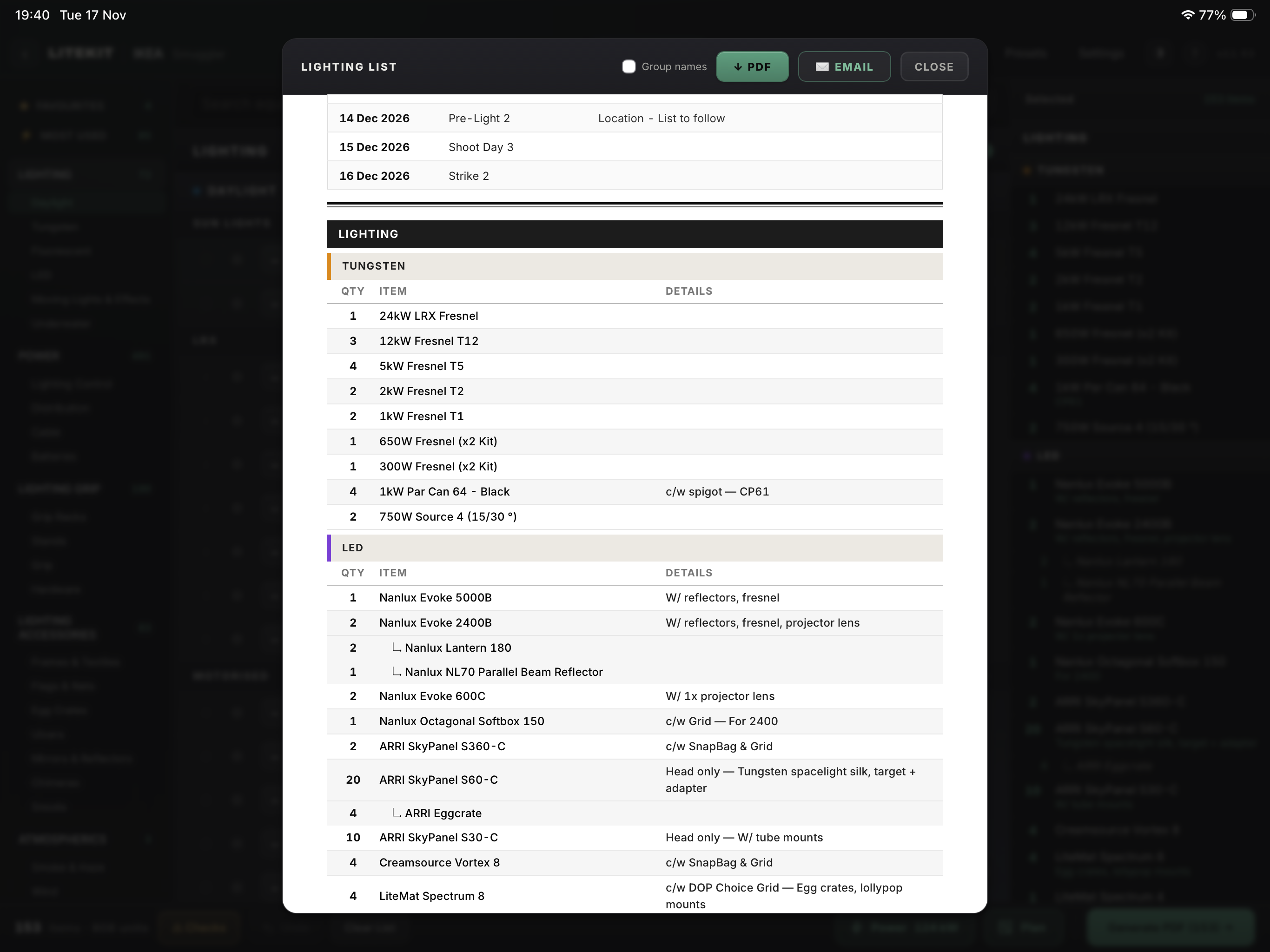
Over 2,100 items, ready to pick from.
The database
Lighting, power, grip and everything around them, in nine main categories.
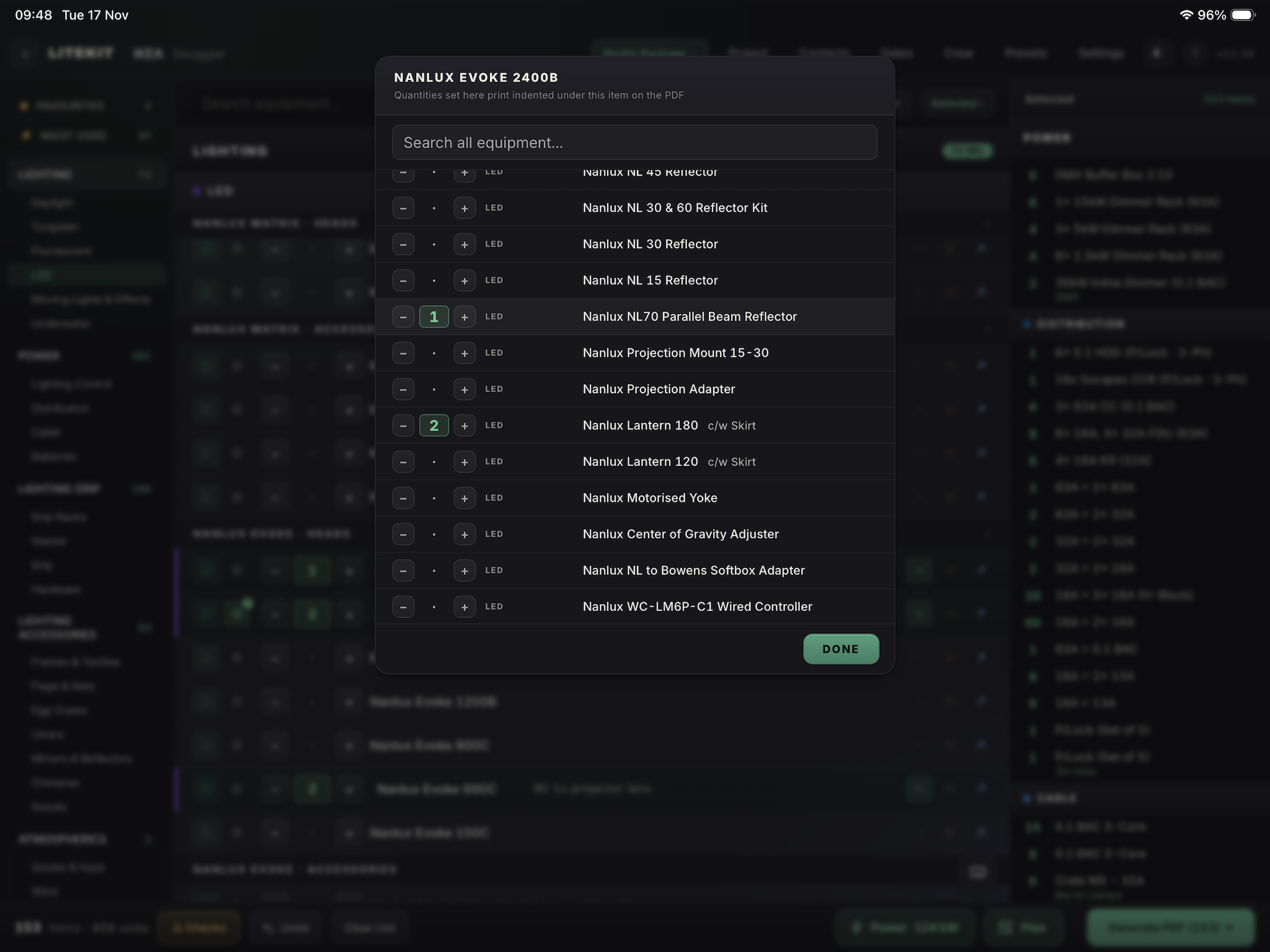
Accessories
Each head is linked to the extras you might want on top of its standard package.
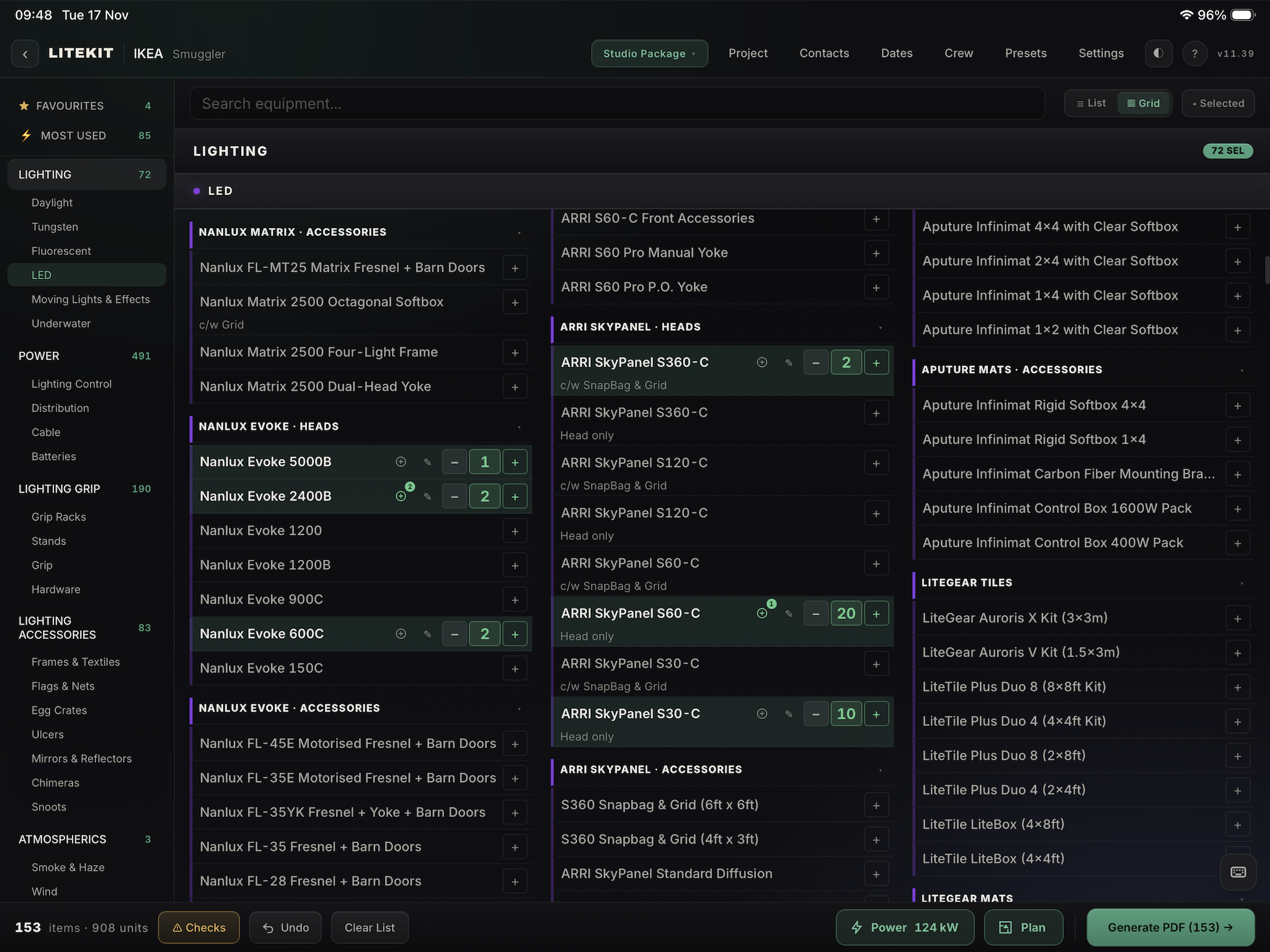
List and Grid
Every item in front of you, so you can look for what suits the job.
The plan
A 2D plan in the same app as the list.
Plan view
Bring in a floor plan, set the scale, and every lamp is drawn at its real size.
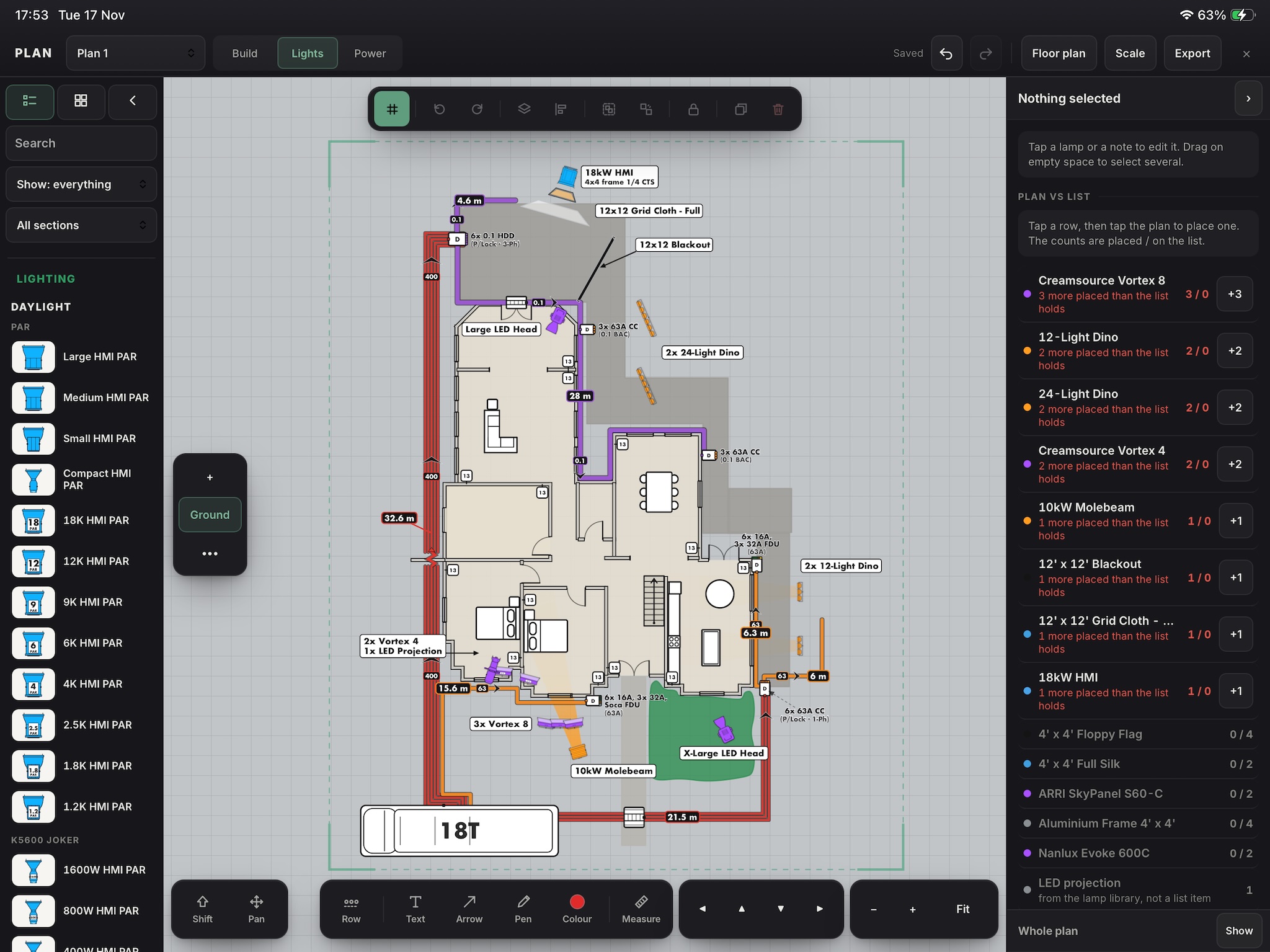
Build
Sketch the rooms on the recce and type in the lengths. Add doors, windows, steps and set pieces.
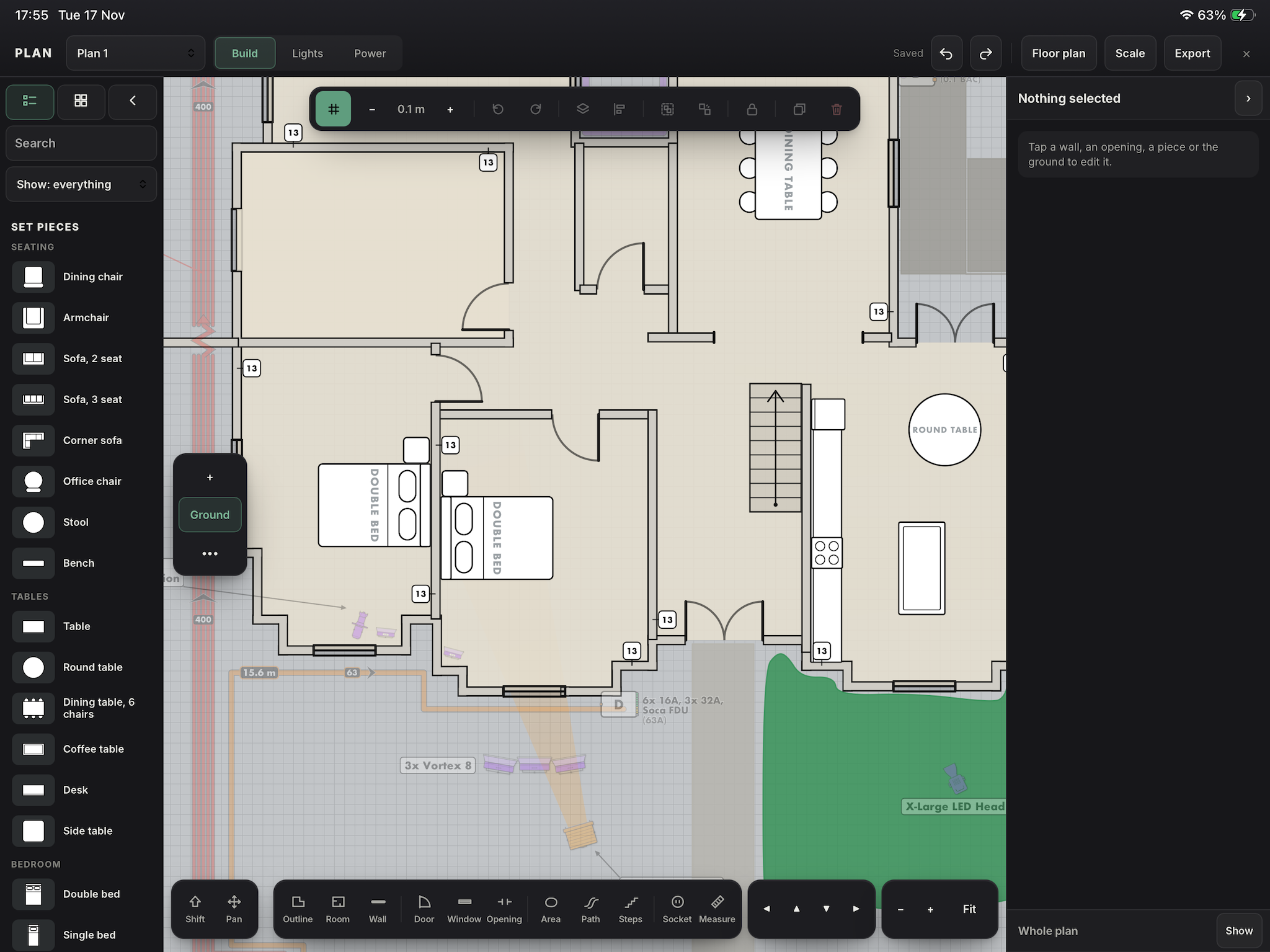
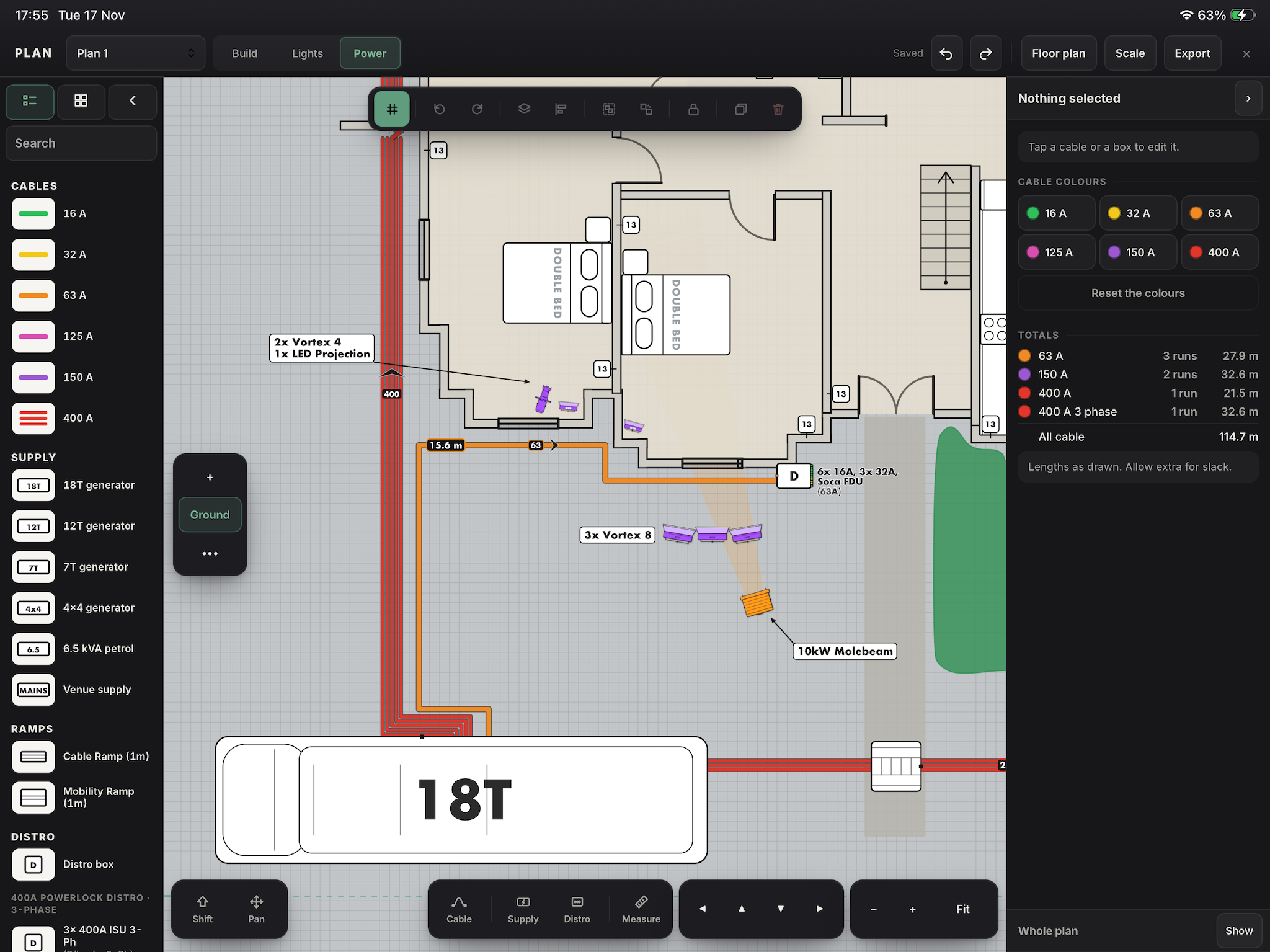
Cable
Colour coded by size, with lengths and totals.
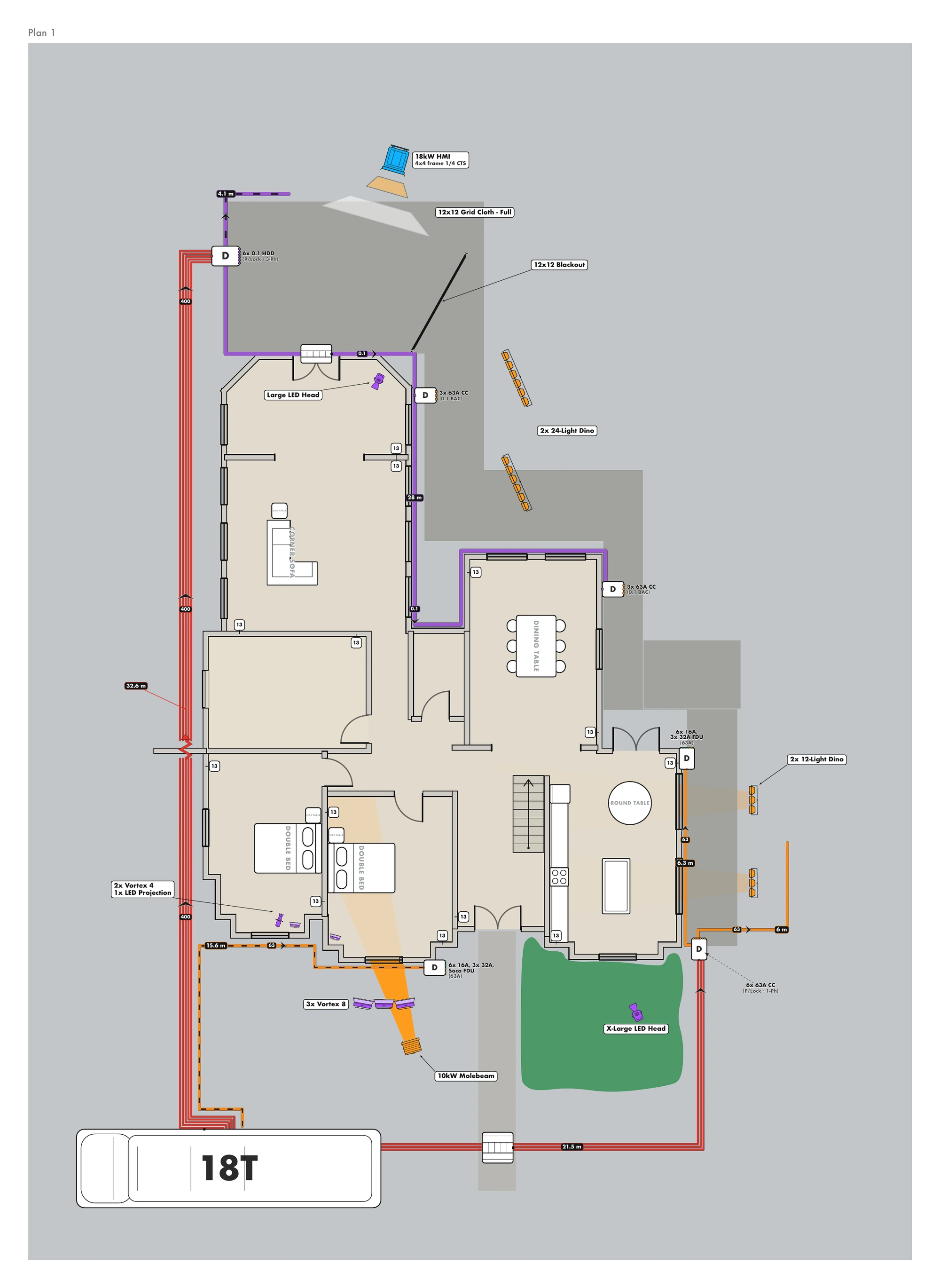
Export
Export the plan as a PDF or an image for the crew.
Plan and list share the same 2,100 items.
Plans sit beside the job's lists, crew and dates.
See how many of each lamp are placed, and place the rest from the list.
The job
Everything else that goes with the list.
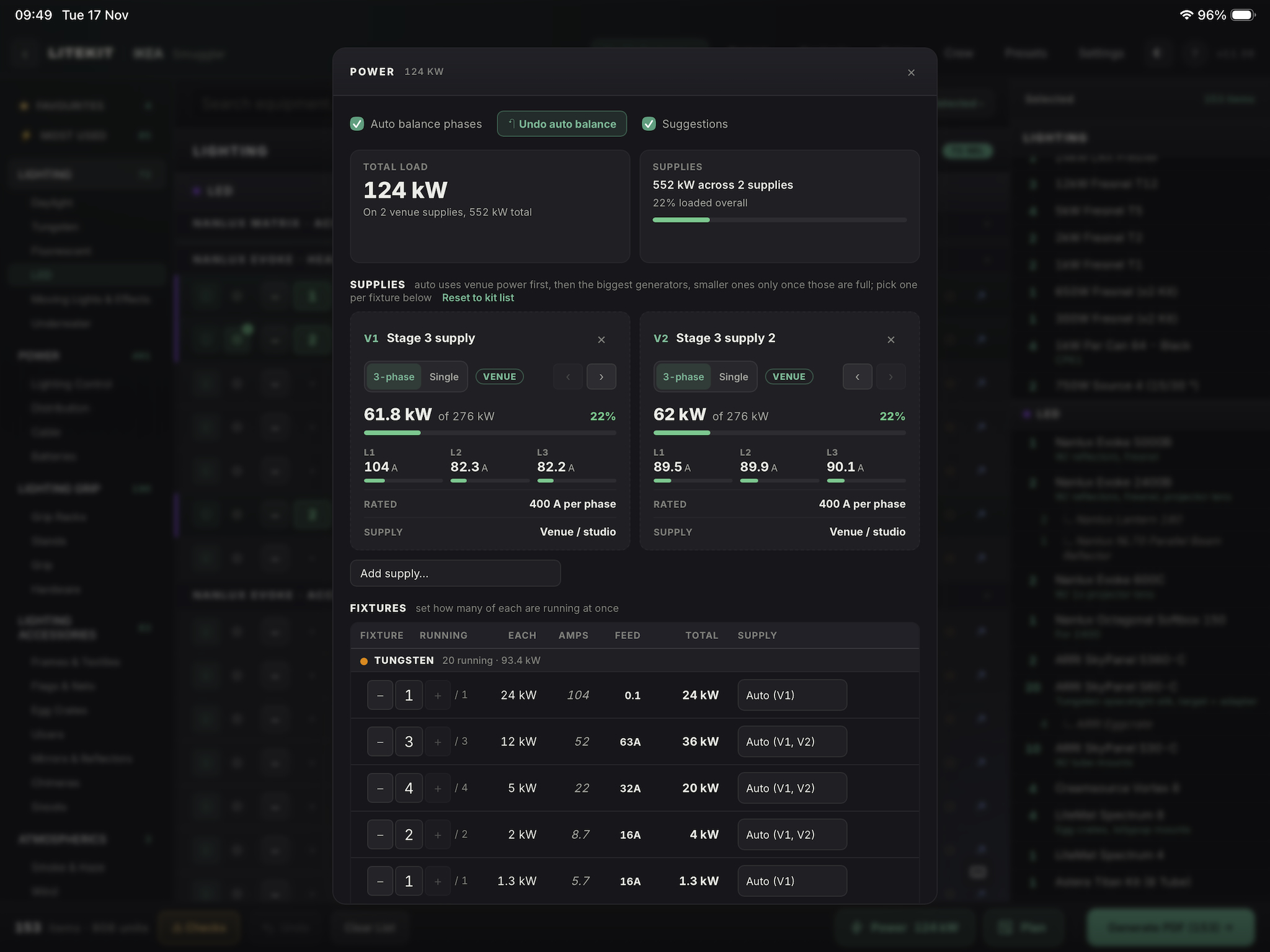
Power
kW, amps, phases and feed sizes, checked against your generators and venue power.
A planning guide. The genny op has the final say.
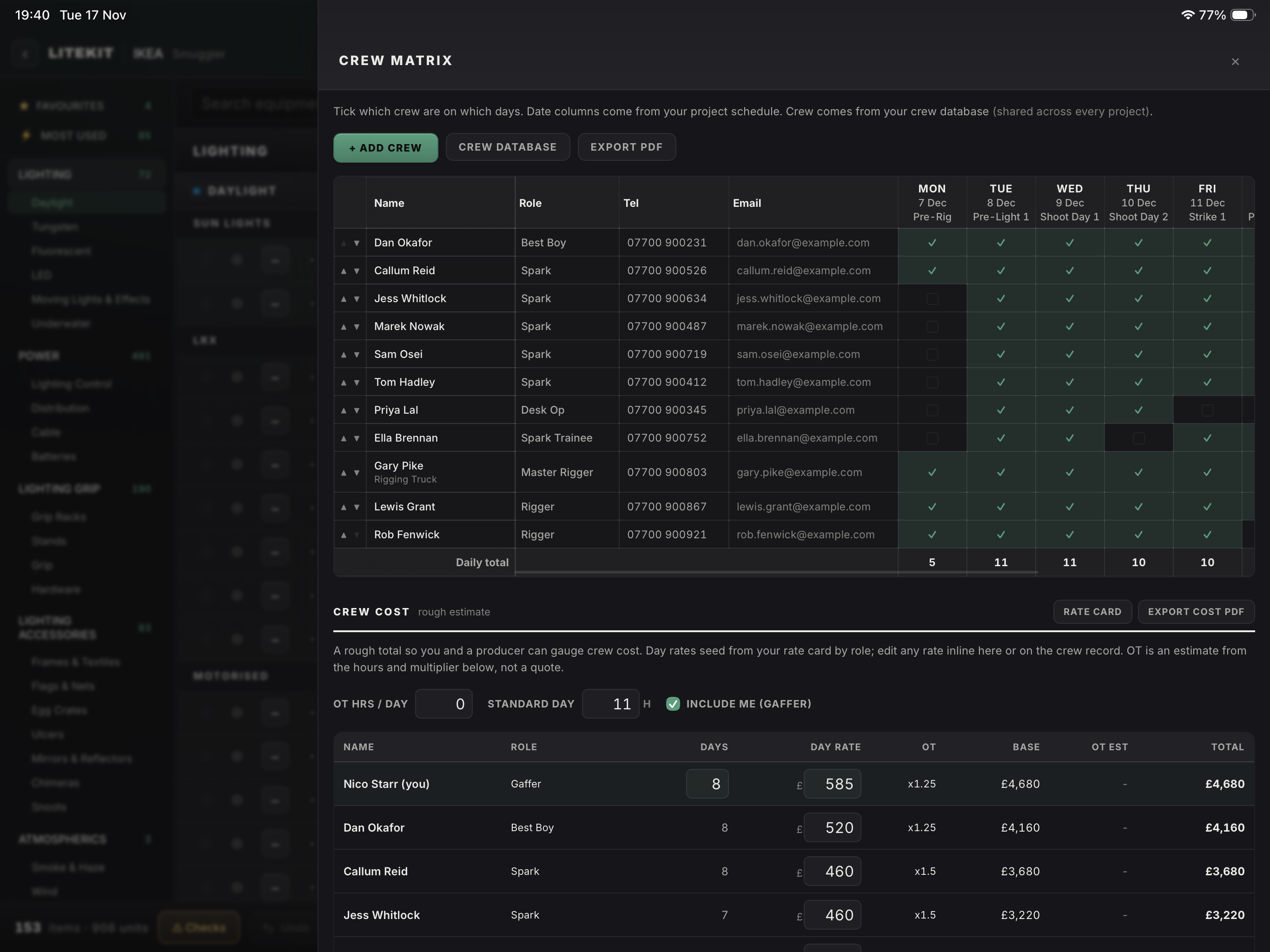
Crew and dates
A crew matrix by date, with vehicles. Send it to the producer or keep it for yourself.
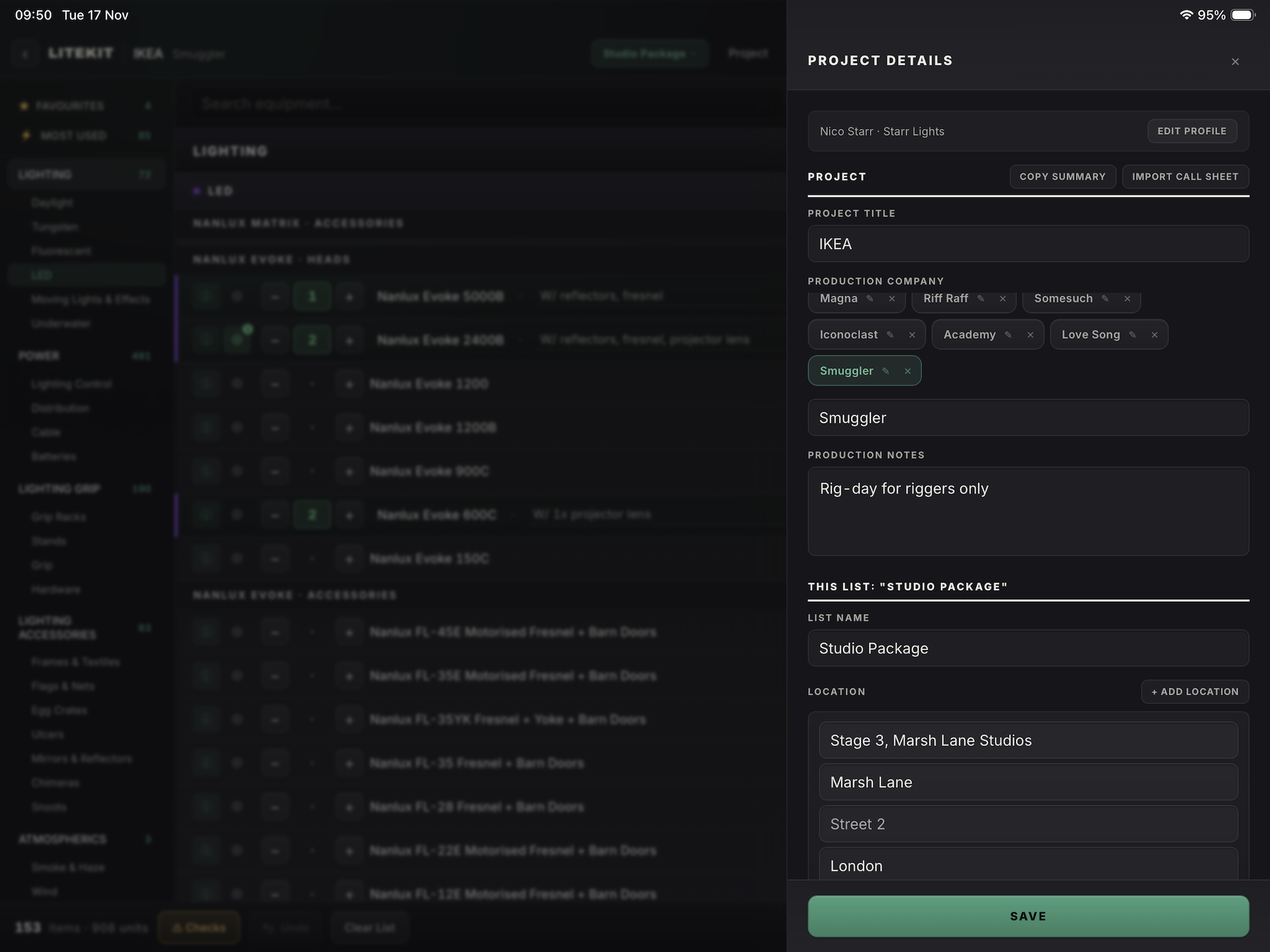
Projects
Each job holds its own lists, plans, dates and crew.
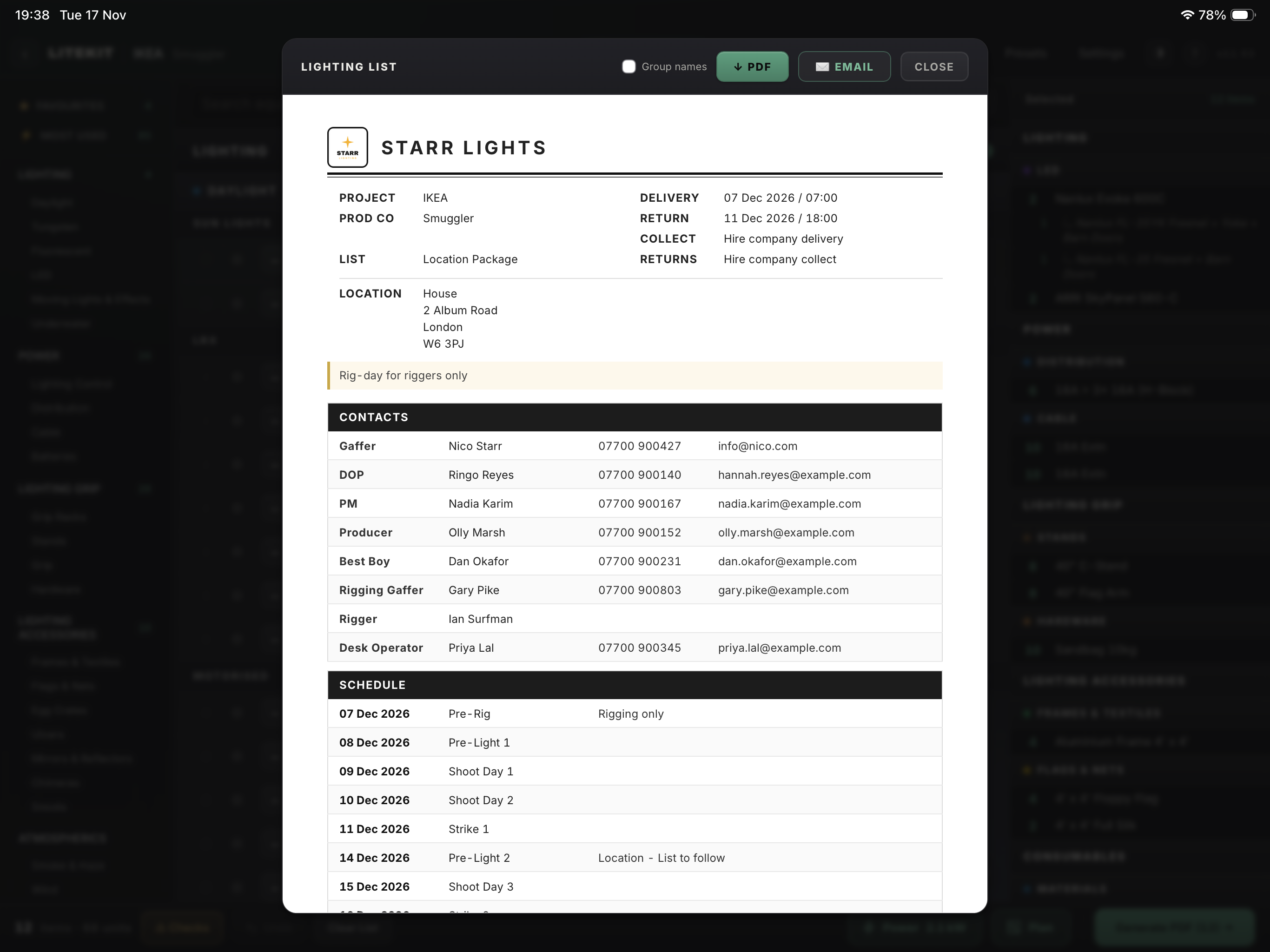
PDF export
Sorted by category, your details at the top, nothing extra.
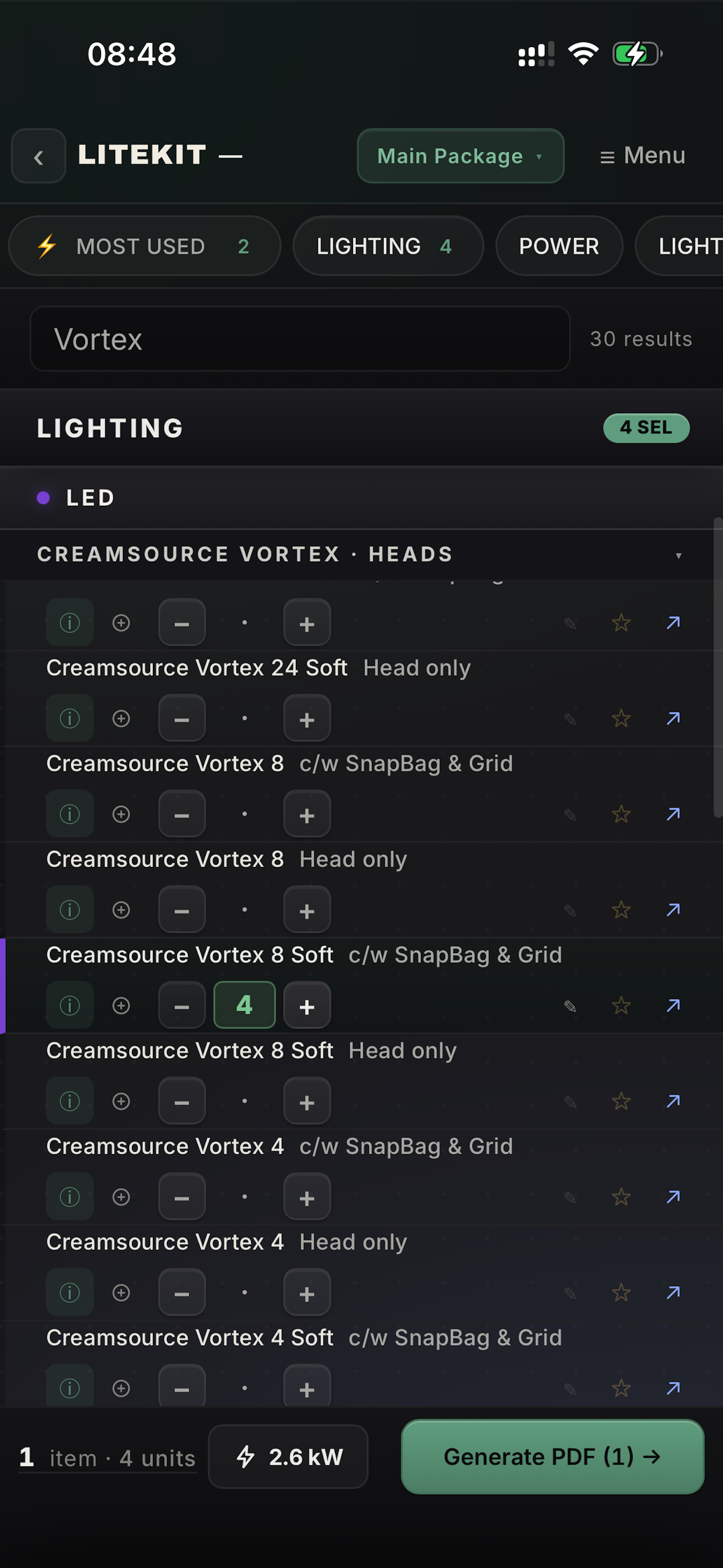
iPhone and offline
Everything is on the device, so no signal needed.
The detail
Build a whole list from the keys, no screen tapping.
The same shortcuts on screen when no keyboard is attached.
The Pencil draws on the plan, a finger moves the page.
Privacy
Lists, plans, crew and contacts are saved on your iPad. Nothing leaves it unless you export it.
Privacy policy →FAQ
iPad, with an iPhone version for checking lists. Plan view and Grid view are iPad only.
Not yet.
Free during the beta. Pricing comes before the App Store release.
No. Use either on its own, or both together.
On your device. Back up from the app to keep a copy.
Add it in the Database Manager, or email [email protected] and it can go in the next update.
Through TestFlight feedback, or email [email protected].